VerifiedDeveloper tooling & automation
AbapGit
A source-verified project description is not available yet. Open the detail page or wait for a manual refresh.
abapdotabapdeveloper-tools
Source facts need a manual refresh
Mindset App Analyzer for SAP Fiori Free Download
Mindset App Analyzer for SAP Fiori Free Download
Regarding questions and updates on product releases for Mindset’s Fiori App Analyzer please email jonathanbragg@mindsetconsulting.com.
Welcome to the Mindset Fiori App Analyzer! This free application allows you to gain insights into how your end users are utilizing deployed Fiori Apps in your SAP environment.
This repository includes the UI5 code for the Fiori App Analyzer, which you can explore using Web IDE. Additionally, it contains the SAP transport for the backend gateway service code and the deployed UI5 apps. Feel free to explore and utilize these resources as needed.
There are 4 files in the ABAP Transports folder in the .zip file. K903083 Transports NEED to be loaded BEFORE K903208!!
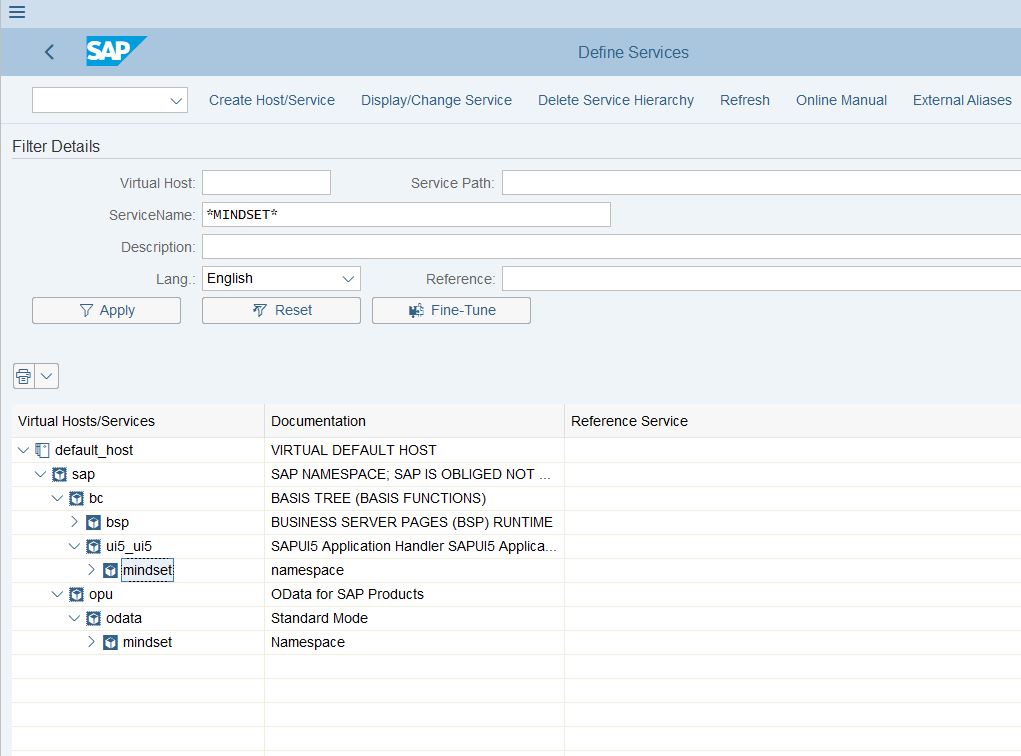
Follow these steps to install the Fiori App Analyzer:
For further assistance or support during the installation process, feel free to contact us.
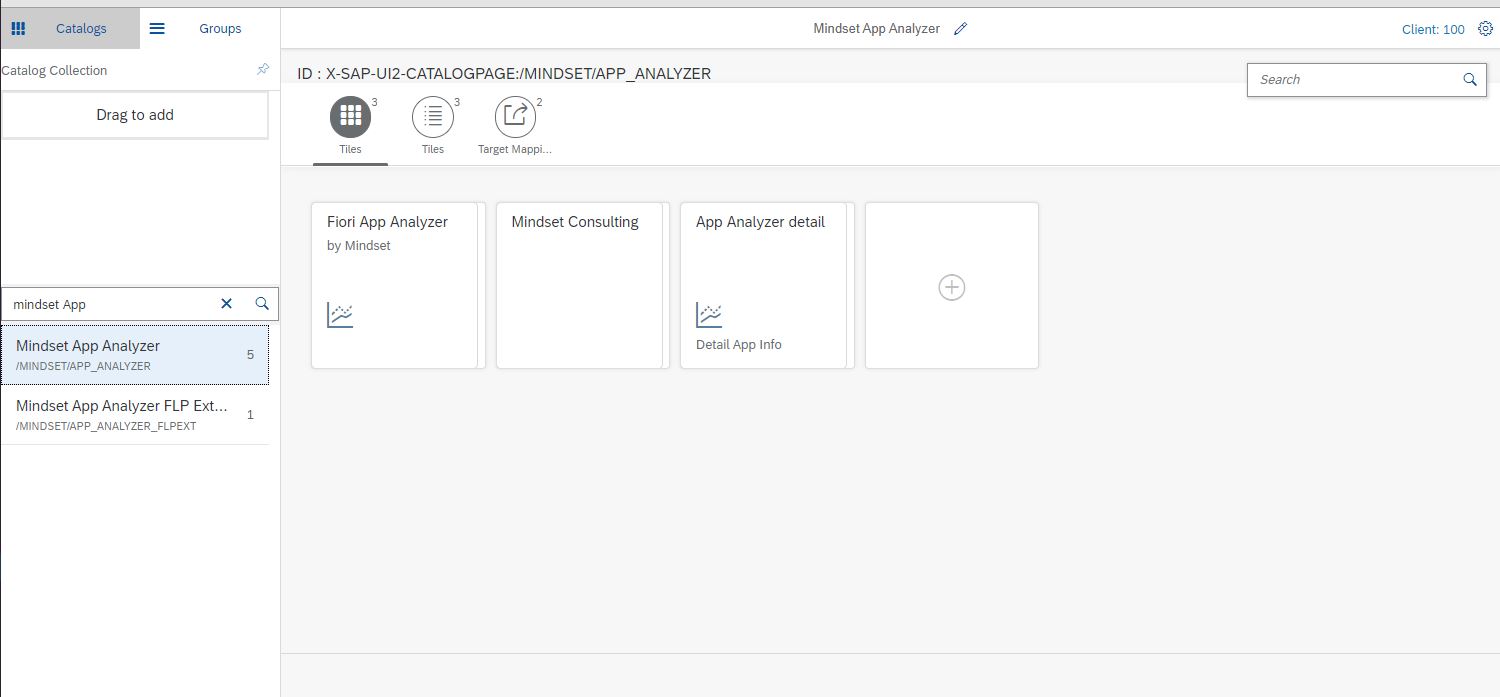
Catalog: /MINDSET/APP_ANALYZER (Mindset App Analyzer) - contains the Fiori Monitor App and a URL link tile to the Mindset website.
Catalog: /MINDSET/APP_ANALYZER_FLPEXT (Mindset App Analyzer FLP Extension) - Contains the Fiori Launchpad Extension target mapping.
Group: /MINDSET/APP_ANALYZER - This group will contain the tile. You can override this by assigning the tile to your preferred group.
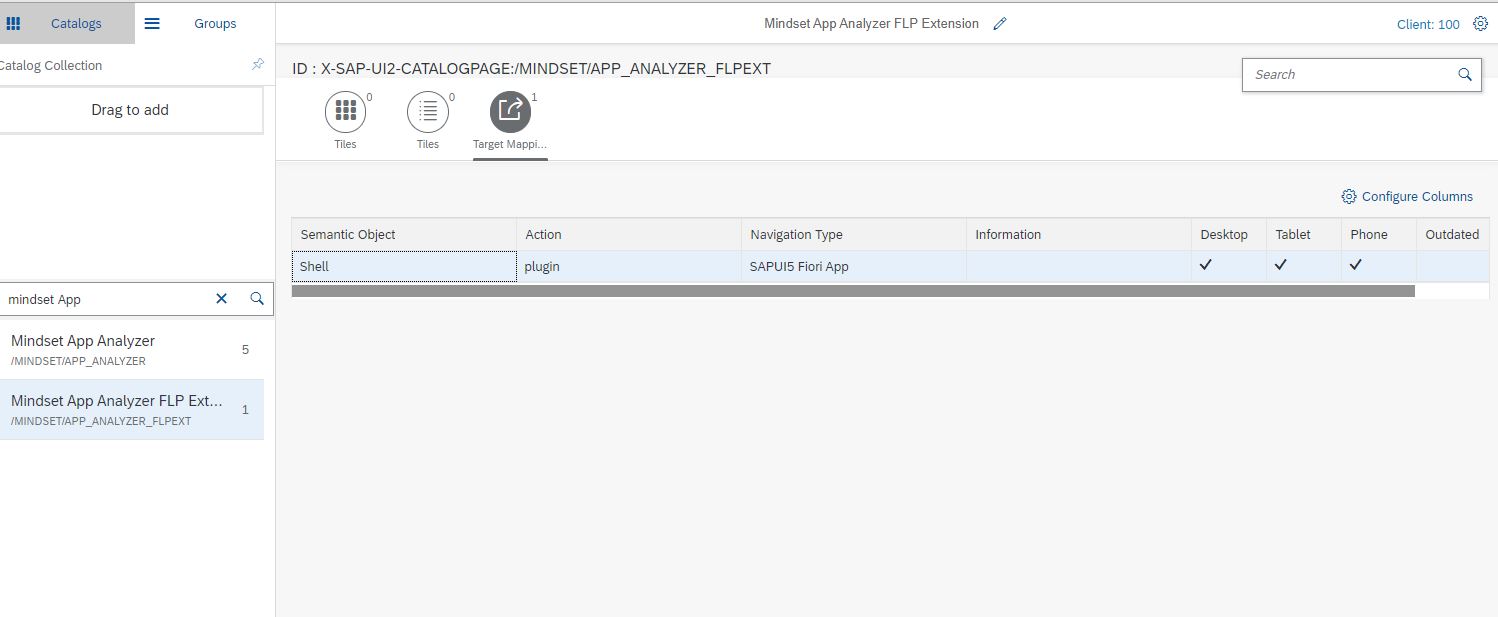
YS_APPANALYZER_ADMIN - Administrator Security Role: Grants access to the tile catalogs and group for Fiori administrators to view Fiori usage within the system. It also includes the FLP EXT application and catalog to track administration users’ usage.
YS_APPANALYZER_ENDUSER - End User Tracking Security Role: Only includes the FLP EXT application, tracking all users assigned to this role in the App Analyzer application.
You have different options for assigning these roles:
Assign the end user role to every SAP user to track all application usage.
Assign the role only to specific users you want to track, such as users from a particular business process area like sales or service. In this case, the application will report usage specifically for those users.
Please note that we are working on a feature to allow selecting user groups within the app without relying on security roles.
The Mindset App Analyzer product follows the MIT Licensing terms. Please see attached LICENSE.txt file in this repository.
In this release, we introduced several enhancements to the Fiori App Analyzer. Here are the key updates:
Detailed Informational Popovers: Total Active Users, Browser Types, and Device Type cards now feature a button that users can click on to view specific details behind the numbers displayed on the car. By clicking on the glasses icon in the upper right corner of the card, a popover will appear showcasing a table of information for logged-in users, including SAP UserName, last logged-on timestamp, internet browser used, and device type.
Added context to “Appviews Today by App” card: Now, when you click on an application within the card, a contextual popup will appear, displaying the application name (semantic object) and the number of times the application has been has been opened today. We are currently working on creating a more detailed application view for each application listed in this card.
Average Loading Time with real response times: The Average Loading Time is no longer a mockup card. It now shows real response times from your SAP system. We are utilizing weblogs to calculate the average time it takes for a user to load a specific application, including tile navigation, page loading, GW service call, backend wait time, response to the browser, and frontend object load time. We plan to provide application-specific load times in a future release.
Contact Us card. We’ve added a Contact Us card so if you have any questions about Mindset, questions about the application, our services, anything else, you can click on the card and our Mindset website will load in a new tab.
What data is important to you to see about each application? Please send questions and suggestions to jonathanbragg@mindsetconsulting.com regarding important data or enhancements you'd like to see in future Fiori App Analyzer releases.
We are excited to present the new features and enhancements in Release 2.4 of the Fiori App Analyzer Here are the highlights:
Voice of the Employee (VoE): We have introduced the Voice of the Employee functionality, which relies on end-user feedback mechanisms integrated into the Fiori Launchpad. This feature allows you to gather and analyze feedback from your employees effectively.
New OVP card - Most Recent Errors: We have added a new OVP card that displays the most recent Gateway (GW) error logs from the backend. This card enables you to quickly identify potential issues in your Fiori environment by showcasing recent errors in chronological order. You can scroll through the errors or load more if desired, helping you investigate and troubleshoot problems efficiently.
We are excited to introduce a new feature in the Fiori App Analyzer analytics dashboard that provides valuable insights into the geographical distribution of application usage. This addition allows you to visualize where in the world users are utilizing your Fiori applications, enabling you to make data-driven decisions and target specific regions for optimization.
The card provides an intuitive visualization of the distribution of application usage across different geographic locations. Users are represented by data points on the map, with each point indicating the approximate location of active users. Hovering over a specific region or data point provides additional details, including the number of active users and percentage of overall usage. The card is interactive, enabling you to zoom in/out and pan across the map for a more granular view of user distribution.
Please send questions and suggestions to jonathanbragg@mindsetconsulting.com regarding additional data fields or enhancements you'd like to see in future Fiori App Analyzer releases.